Level Tool App
Mystic Mobile Apps GPS Tools
Downloads
100,000+
Source
Google Play
Advertisement
Click to download now, finish the installation quickly, and directly unlock the all-round experience
Advertisement
Screenshots
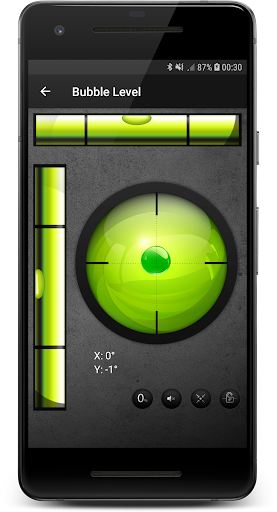
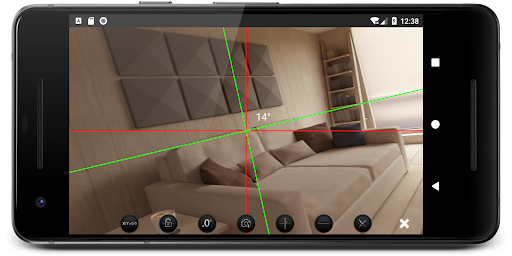
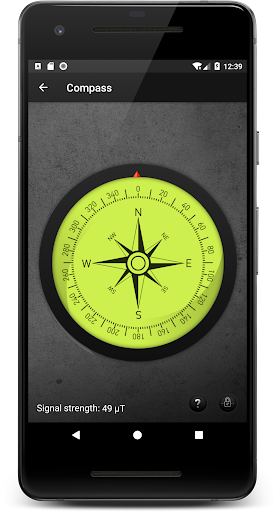
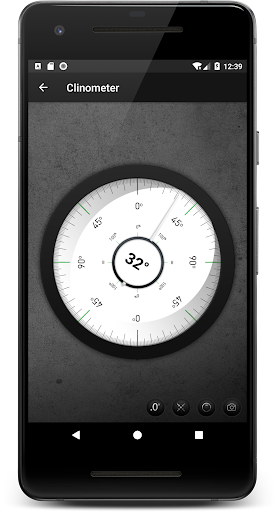
Click to download now, finish the installation quickly, and directly unlock the all-round experience
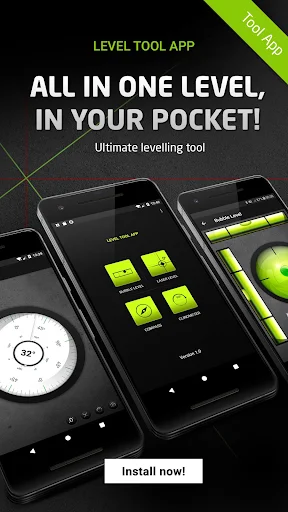
Level Tool App is for people who need a quick angle or level check while doing household jobs, setting up equipment, or inspecting a slope. It offers several ways to use a phone as a measuring aid: place the device on a surface, rest it on its side, or use the app’s on-screen laser guides with the camera to line up a surface.
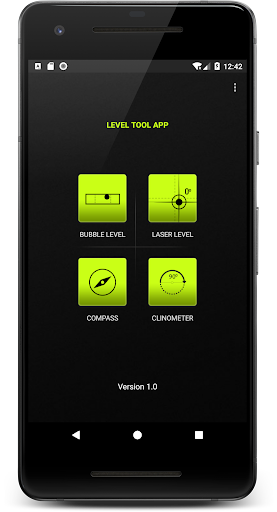
The app includes a bubble-level view, a clinometer for checking the angle of a sloped line, and a compass view that combines heading and level information. That makes it more flexible than a single-purpose bubble display, though it remains a phone-based tool rather than a substitute for a dedicated instrument when precision is critical.
You can recalibrate the laser guides from the app, take a photo of a measurement, and share it with someone else. Those options are useful when you want to keep a visual record or compare a result without asking another person to read the screen in place.
This is a practical choice for occasional checks around the home or on the go, especially if you want a few measurement approaches in one app. The different modes may take a moment to understand, and results depend on how the phone is positioned and calibrated. If you only need a basic level, the extra compass and slope tools may be more than you need.
Level Tool App is published by Mystic Mobile Apps GPS Tools. It has a 3.5-star rating from 501 reviews and more than 100,000 installs. That gives a useful sense of its reach, but not a guarantee that its readings will suit every task. For work where a small error matters, check the result with a purpose-built level or inclinometer.